Choose your interval.
15 seconds? Two minutes? Set the minutes and seconds that work for you.
 Cmd+S
AUTO-SAVE FOR YOUR MAC
Choose an interval in minutes and seconds. Cmd+S automatically presses ⌘ S in the app you’re using, while you keep creating.
Get Cmd+S · $9.99Pay once. No subscription.
Instant download after payment. Plus applicable tax.
macOS 14 or later · Apple silicon & Intel
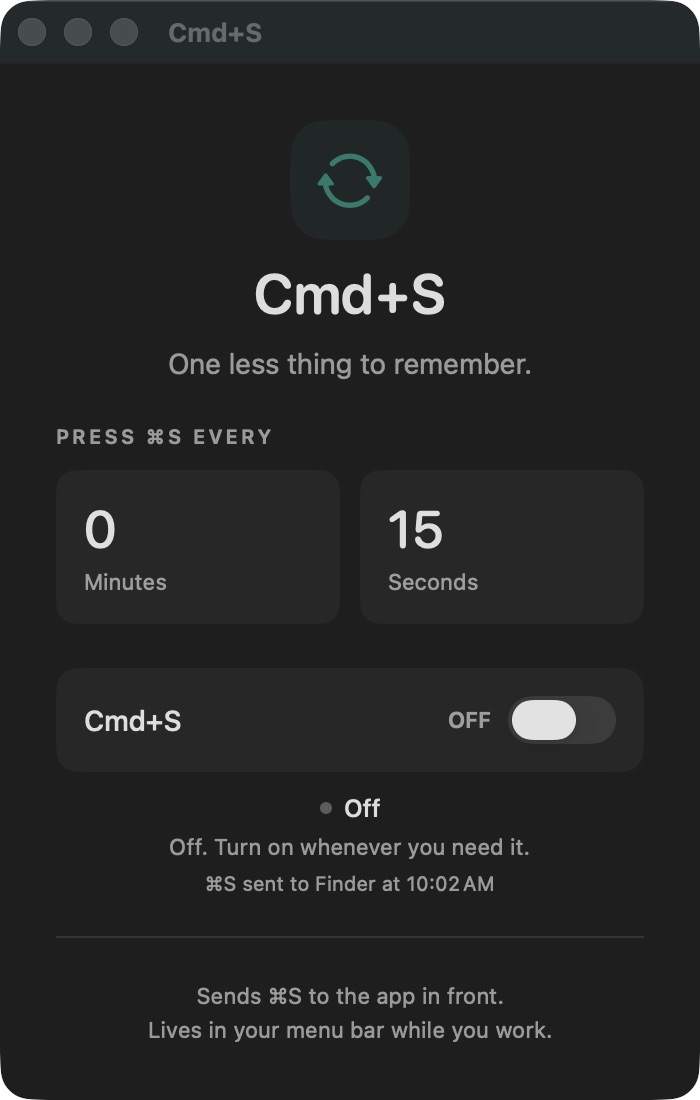
LESS TO REMEMBER
15 seconds? Two minutes? Set the minutes and seconds that work for you.
Allow Accessibility access when your Mac asks, so Cmd+S can send the save shortcut.
Cmd+S sends ⌘ S to the app in front. Close its window and it keeps running in your menu bar.
Save a new file once first. Your active app needs to support the standard ⌘ S save shortcut.
A FEW GOOD QUESTIONS
Cmd+S sends the standard ⌘ S shortcut to whichever app is active. It works where that shortcut saves your work. Apps with a different save shortcut or no save command won’t benefit.
macOS requires this permission for an app to send keyboard shortcuts. You can manage it in System Settings → Privacy & Security → Accessibility.
Cmd+S helps you save more often by sending save requests. It doesn’t create backups, recover files, or confirm that another app saved successfully. Keep your usual backups.
Yes. It keeps running in your menu bar. Switch it OFF to pause auto-save, or quit the app to stop it.
The Cmd+S Mac app, with no recurring subscription. After payment, you get your download and setup instructions. Requires macOS 14 or later on Apple silicon or Intel.
Auto-save for your Mac. $9.99 once.